With the latest update, PandwaRF Android App introduces a new “Generate” tab, allowing you to create fully functional remotes directly from the app. No Kaiju web portal.
Generate remotes directly from your phone
From the app:
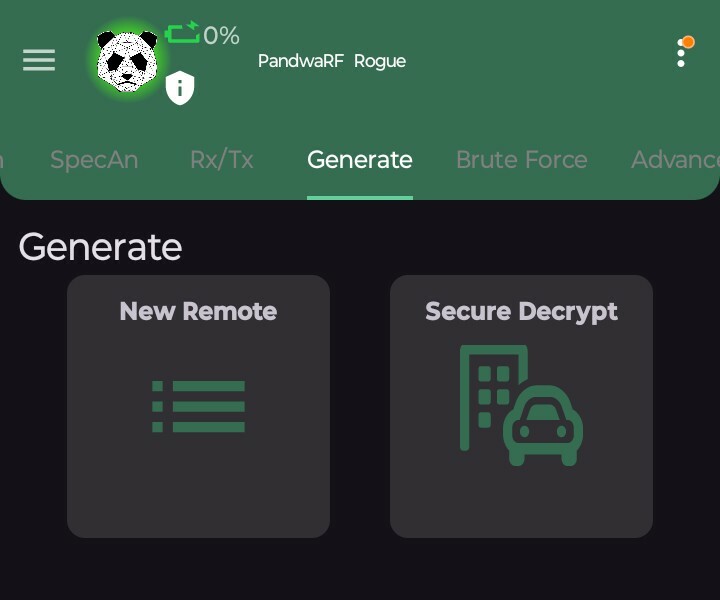
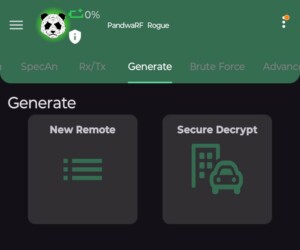
- Go to Generate tab
- Click New Remote
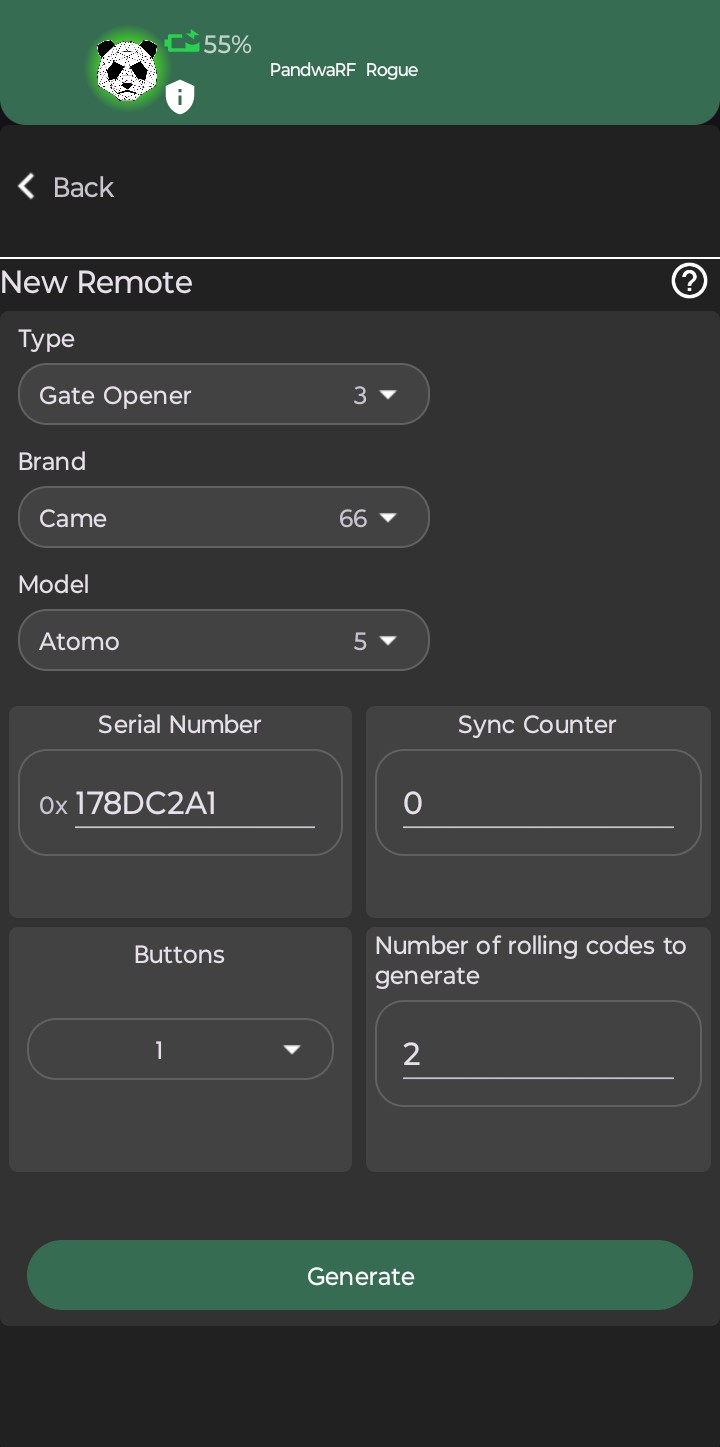
- Select:
- Type (e.g., gate opener)
- Brand
- Model
- Serial number
- Sync counter
- Button ID
- Click Generate
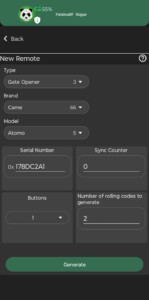
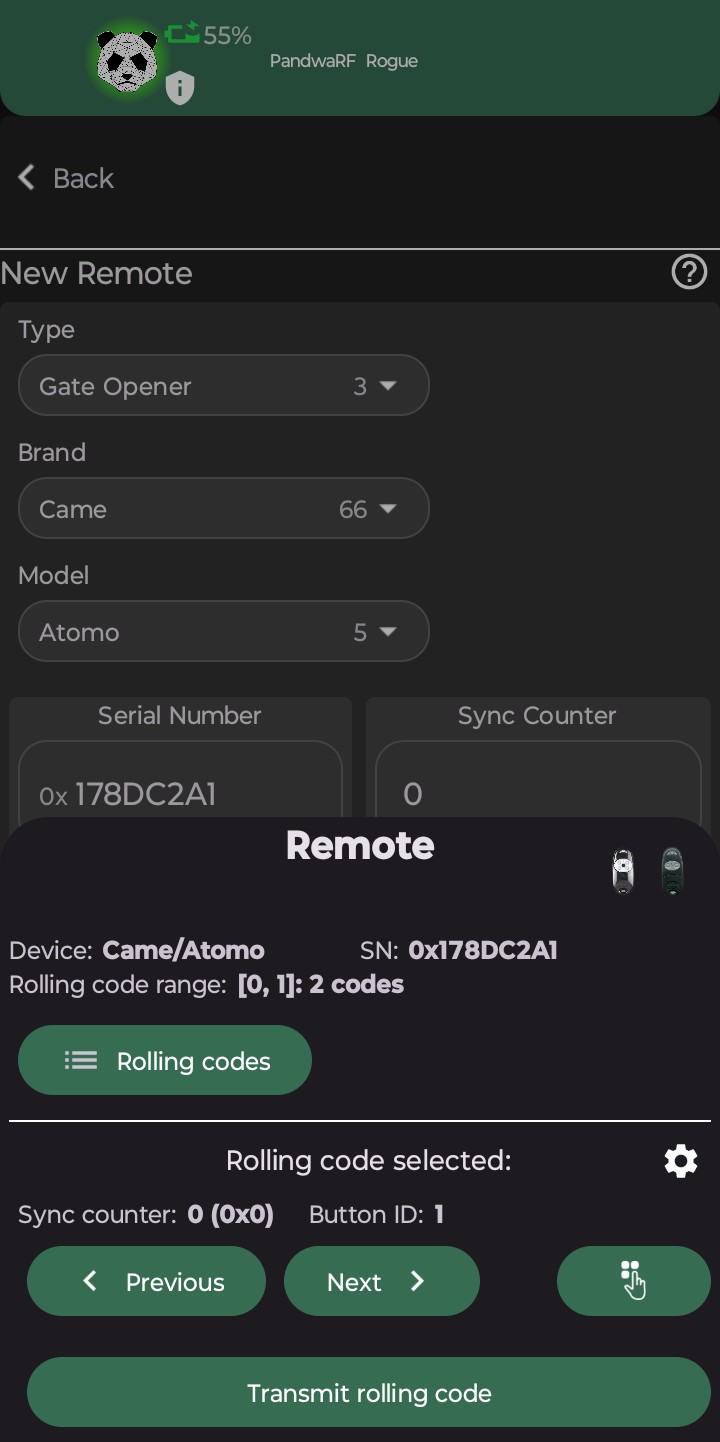
The app takes care of translating the SN/Sync/Button parameters into valid, usable RF frame.
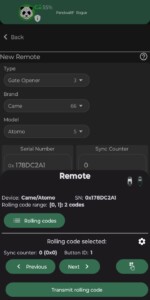
- The generated remote is automatically loaded and available immediatly.
- Click Previous/Next to navigate through rolling codes
- Click Transmit rolling code
- Et c’est tout…
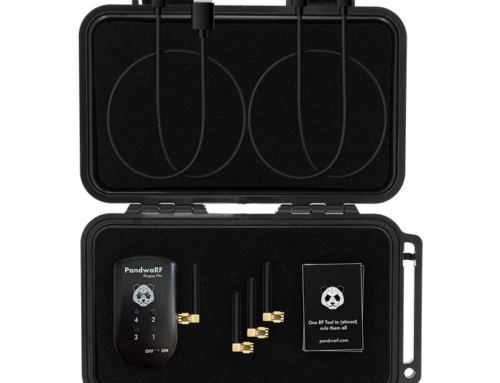
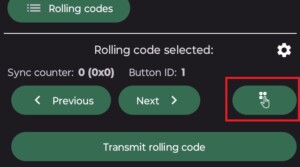
- Tip: You can also assign a rolling code to one of the four PandwaRF Rogue buttons by clicking on the Button Assign.
Seamless & instant ecosystem sync
The generated remote does not stay trapped on your phone. It is automatically:
- Available on your Kaiju account
- Synced across all your PandwaRF devices
So whether you are working from the field or the lab, your remotes are always accessible.
TL;DR
PandwaRF Android app now lets you create new remotes directly from your phone via the Generate → New Remote feature.
Select type, brand, model, and input parameters (serial, sync, button). The app handles formatting and protocol details automatically.
Generated remotes are instantly synced to Kaiju and all your PandwaRF devices.